Sales
Long-term Rentals
How to handle long-term rentals in Renteon: long-term pricelists with monthly prices, contracts, invoicing in monthly installments and collective offers.
Last updated
Long-term rental pricelists
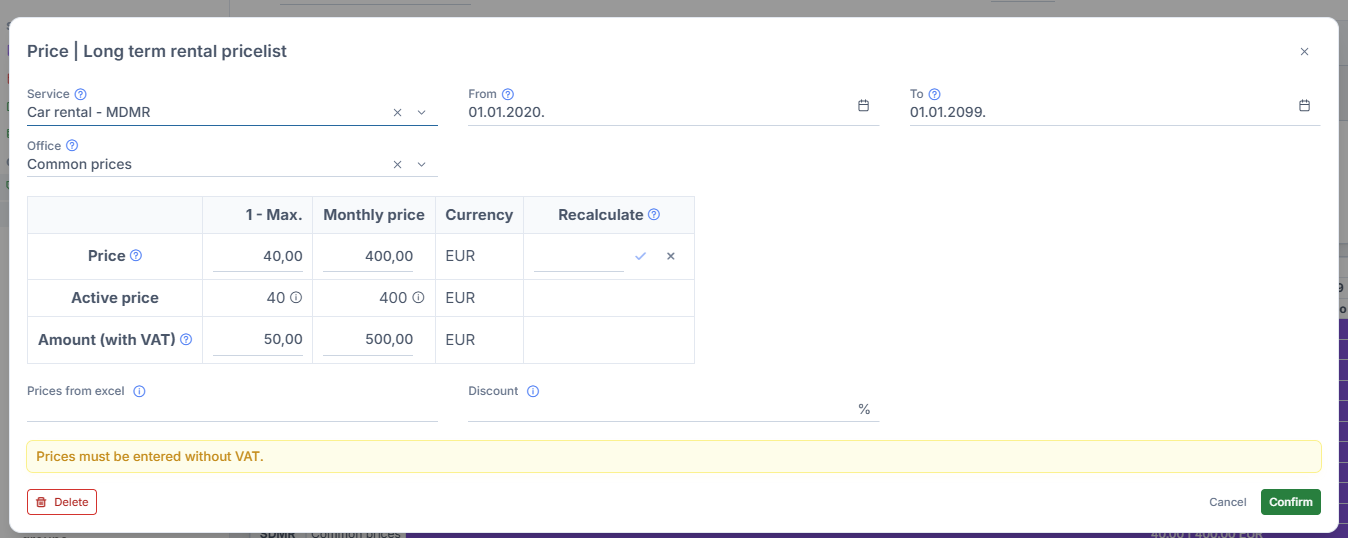
When creating a long-term pricelist it should be marked with a „Long-term pricelist“ mark:
When selected, the system will allow the definition of a couple of additional rules that will be applied
- Max. monthly mileage – all above can be charged
- Allowed damages count per contract – number entered will not be charged by contract
- Description
- Calculation type
- Monthly
- Each month the same price no matter the actual number of days
- Calculation of residual days (no.of days/31*monthly price)
- 30 days
- Price is based on the actual number of days in the month
- Calculation of residual days (no.of days/30*monthly price)
- 28 days
- Price is based on 28 days of rent for each month
- Calculation of residual days (no.of days/28*monthly price)
- Monthly (30 days)
- Combination of the two types above
- The monthly price same as a calculation type „monthly“
- Calculation of residual days same as a calculation type „30 days“ This type of pricelist should have the „Monthly price“ of the rental defined.
Long term pricelist should have option "Monthly price" selected in the pricelist settings in the Durations part. Such created pricelist will allow definition of price per month.
Adding Renter to the Address book
Could be added as an Individual or a Company.
Depending on the type of Invoicing should have „Payment type“ defined:
- For „Invoice“ or „Collective Invoice“ should have „Transactional account“ selected
- For „Group Invoice“ should have „Billing specification“ selected Also, information such as „Payment delay in days“ and „Billing currency“ can be defined.
Creating reservation/contract
When creating a booking or a contract long-term rental pricelist should be chosen to search the availability.
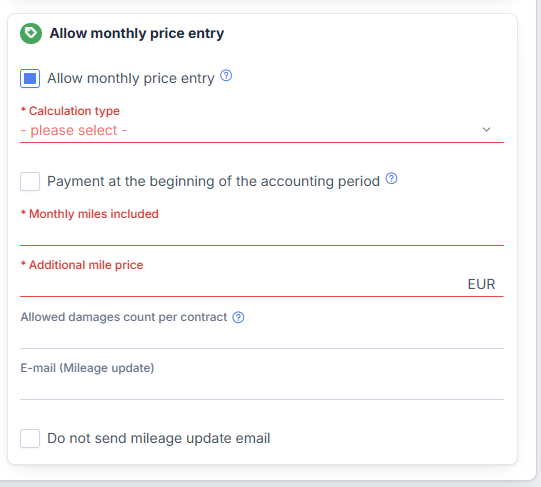
Once the car category group was selected in the „Basic“ tab option „Allow monthly price entry“ should be selected, it will allow entry of additional information such as:
- Calculation type
- Payment at the beginning of the accounting period
- Monthly miles included
- Additional mile price
- Allowed damages count per contract
- E-mail (Mileage update)
This info will be transferred from the chosen pricelist, but can also be changed.
In the „Additions“ tab should be selected the option „Monthly price“ which will be the one defined in the pricelist.
Invoicing
Invoicing can be done either in the total amount of the contract (at the beginning or end of the rental) or in monthly installments.
If monthly installments are chosen option then based on the calculation type and chosen option of payment at the beginning/end of the rental period, the system will calculate the date when the invoice should be issued.
Invoices can be issued in two different ways:
- Through the contract go to Actions - Create an invoice for the installment
- Through the Dashboard - Invoicing the long-term contracts
- Choose the last icon „Create an invoice for the installment
The type of payment will be predefined as the one selected in the „Address book“.
Regarding the type of Invoice, if a renter has multiple vehicles rented, it can be issued as:
- Group Invoice
- One invoice based on multiple „Billing specifications“
- Collective invoice
- Summed excel of multiple separate Invoices
Collective offer
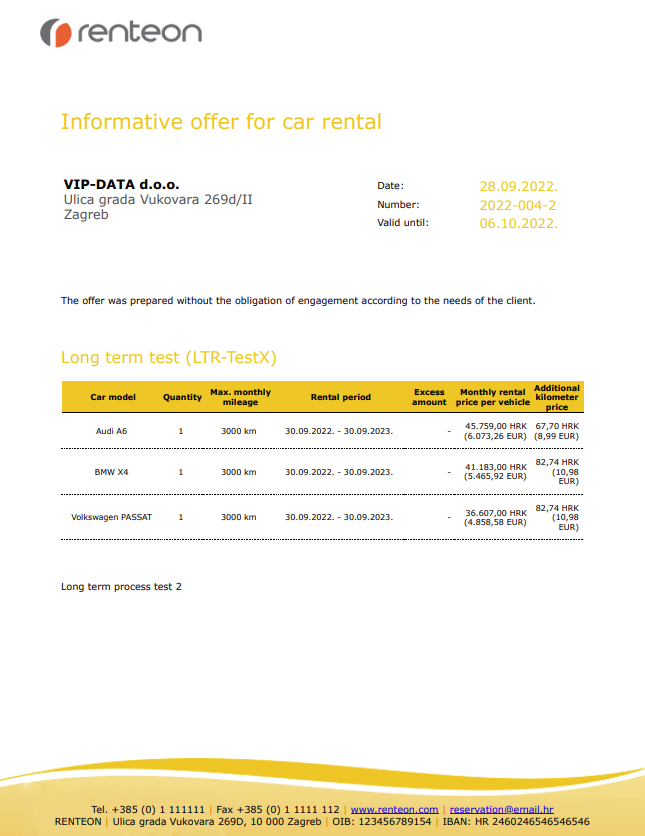
Renteon offers an option of issuing the Collective offer for long-term rentals that are based on car models, not car categories.
It is printed with information such as:
- Vehicle Model
- Max. Monthly mileage
- Period of the rental
- Excess amount
- Monthly price
- Price of the additional km
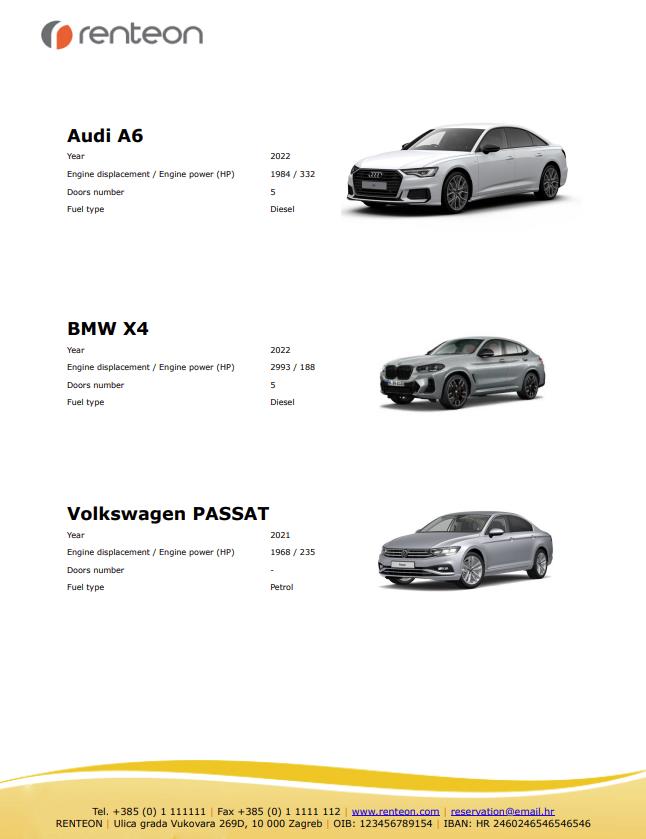
- Photos of the vehicle with some info (year of production, engine displacement, doors number, fuel type, description)
The look and the information contained are fully customizable to rent-a-car needs.
In the Code book → Reason for rejection of the offer can be set a set of reasons why the customer refused the offer, which can be selected when canceling