Finance
Premium Product / Zero Excess Pricelist
How to set up a Premium Product / Zero Excess pricelist: an insurance pricelist with included insurances, zero excess amounts and a car rental pricelist.
Last updated
New insurance pricelist
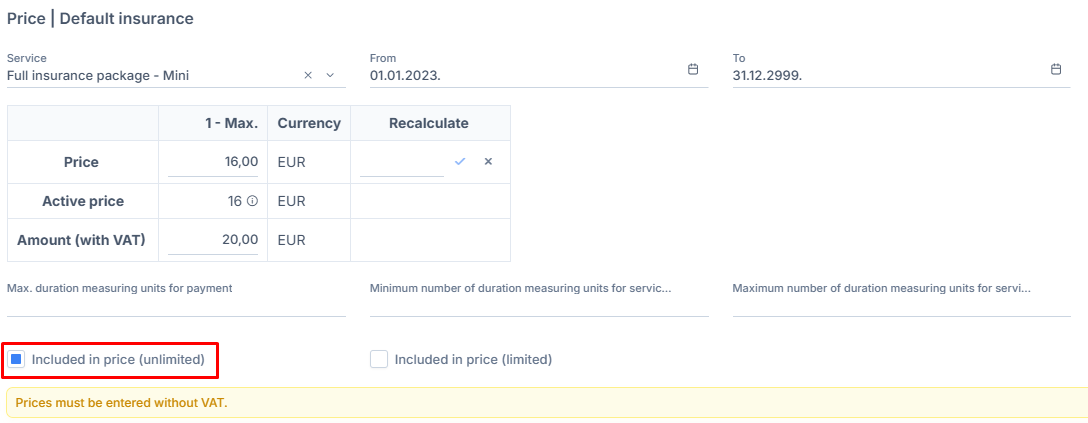
For all agreed included insurances the price should be 0 and the selected option should be "Included in price (unlimited)“
Excess amounts
In „Additions -> Insurance – excesses“, the amounts of excess for included insurance should be 0
If needed, a new sheet of „Insurance – excesses“ can be created (in the pricelist groups, a new group should be added)
New car rental pricelist
- For the connected insurance pricelist the newly created insurance pricelist with included types should be defined
- For the connected group of Insurance – excess, the correct sheet should be connected
- Car rental prices should be increased by the amount of included insurance
The newly created car rental pricelist should be connected to the broker's account in the address book, and if the broker is using the Aggregator, it should be mapped there also.